
During Production, Me, Max and Dan assumed different roles based on our strengths during the previous projects that we’ve worked on together. I decided to work mostly in Unreal Engine 4 building the basic environment and creating the area that the player will walk around in. I decided to start with creating the basic grey box environment using the geometry tool in the editor in UE4. It was my role to create most of the large models and area that the player will walk around in.
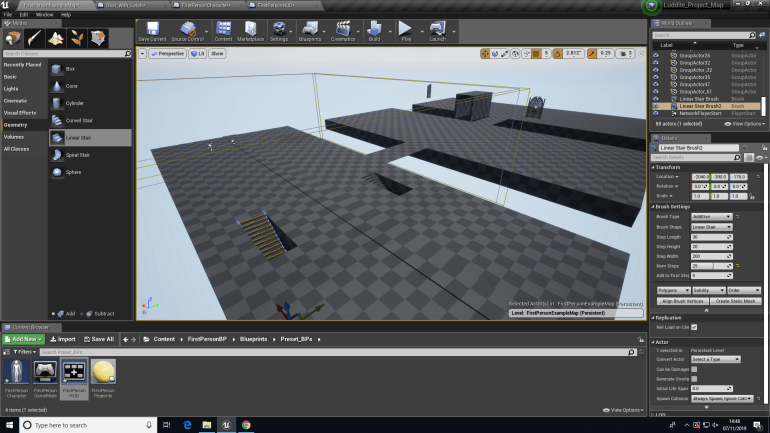
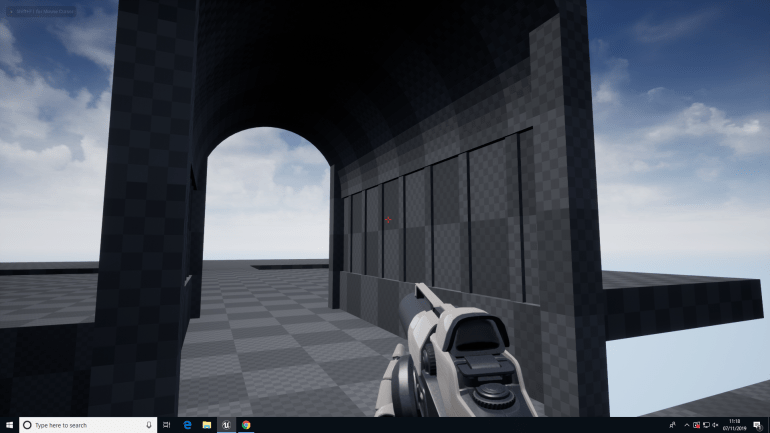
The are 3 areas just like we suggested in the Pitch each one will have different themes and models associated with it, each area will also have a Luddite theme related to it that fits into the timescale represented in the select level section. Since we have actual real-life buildings and photos of the Past and Modern Day areas they won’t be to hard to create a realistic area of that level since we can take ideas from real-life including scale and proportion.
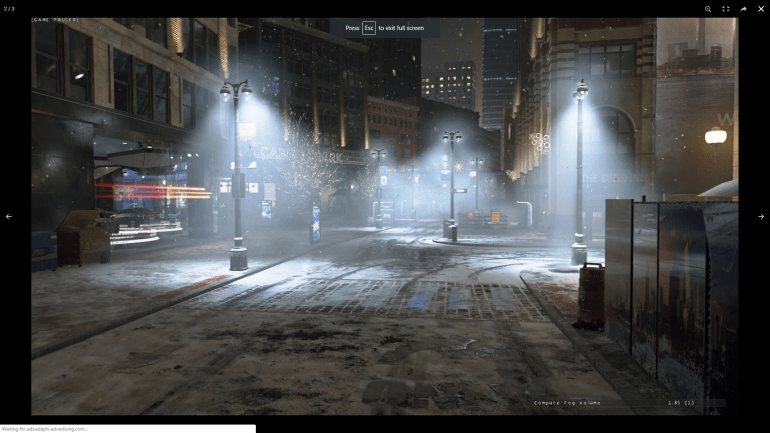
However for the future area we can only take ideas from Concept Art and use our imagination of our thoughts on what the future might look like. However we are also influenced by Games and Films and we used these as possible examples and influences for our level. One example was a game called Detroit Become Human that each member of our group was familiar with so we could use this game as a reference.
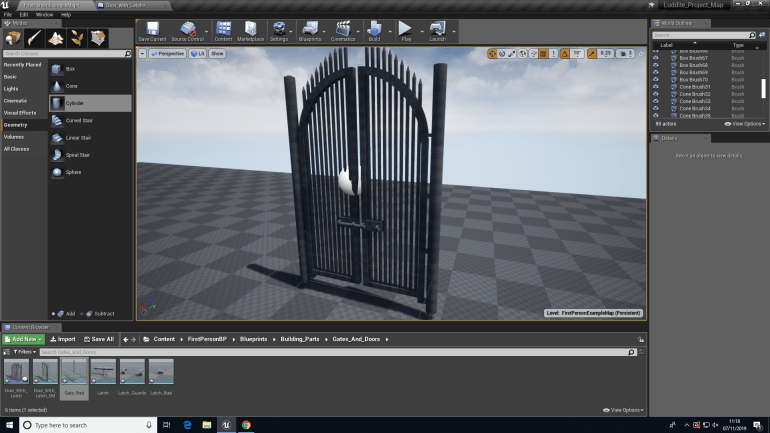
I also wanted to do some Blueprinting to become more comfortable with it and re-run through some Blueprinting I’ve already done to re-familiarize myself with it.
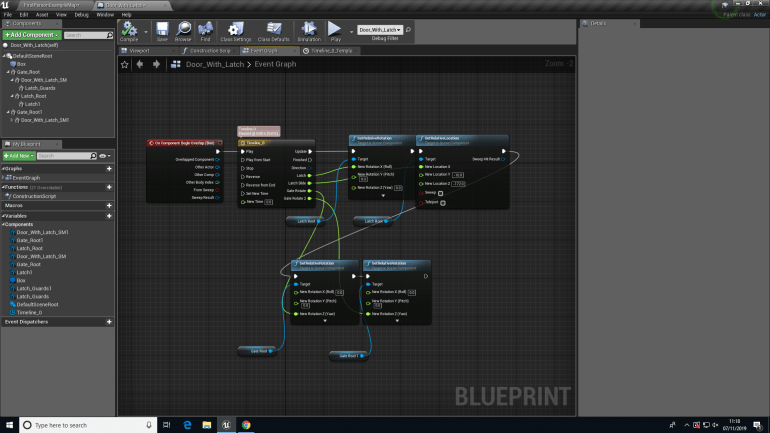
I started the area with some basic walls to build up the level and get a good feel of how big the area was and how I could manipulate the space to create an interesting and informative street that shows themes of Luddism. I decided to add a catwalk to break up a large area of walls that otherwise might’ve looked boring and uninteresting. The area is actually fairly large and allows me enough space to create a realistic looking street filled with all of the smaller assets that Dan and Max will create in 3DS MAX.
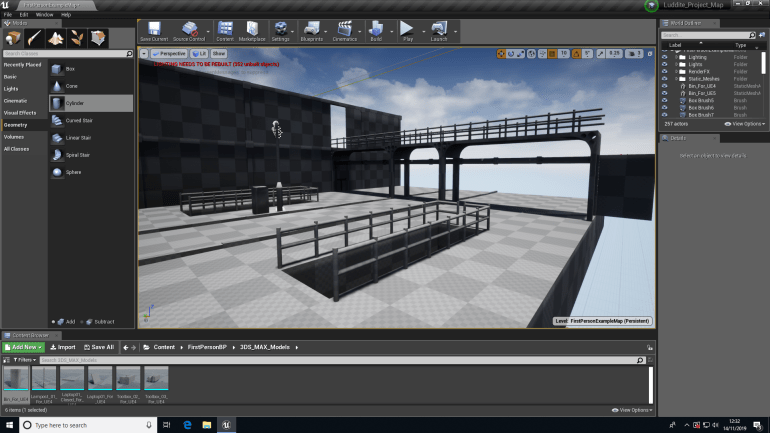
During Production I came across a problem related to lighting since the game is set at night I wanted to create a faces of building that show lights on inside so did this using a window with ‘Rect’ lights placed onto the surface to suggest the were lights on inside of the building. However this really slowed down the game making it almost impossible to build anymore of the level, since this was a problem I found a solution to this using materials to create an orange glow color that gives the same impression that I wanted but didn’t slow the game down allowing it to run smoothly.
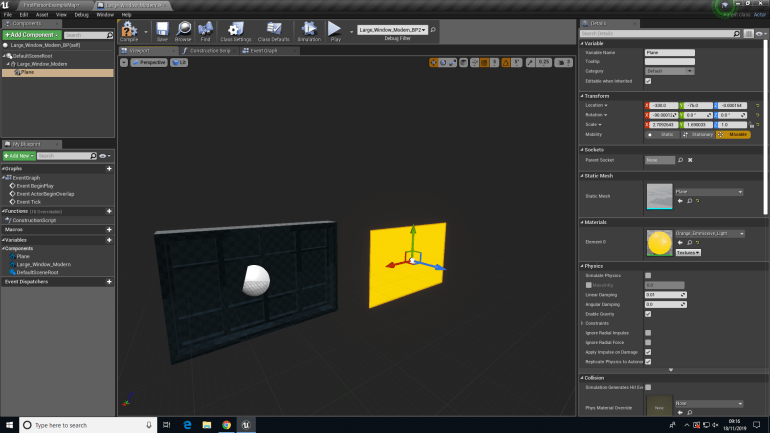
Creating the Emmissive light is fairly simple:
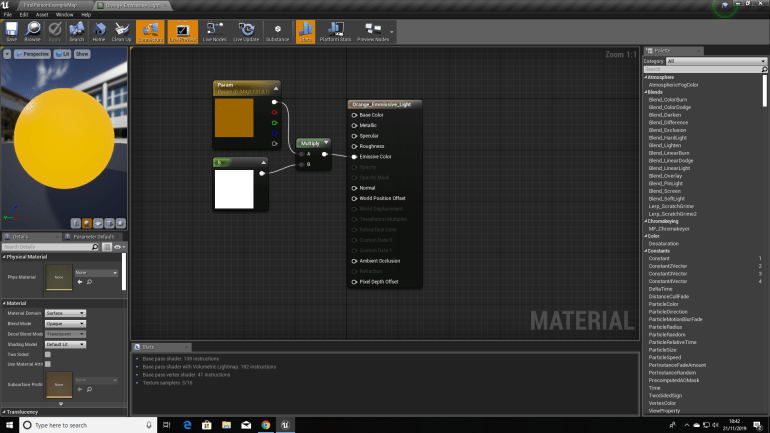
The Vector Parameter contains a sample of the chosen color and the Constant controls the brightness and shininess of Vector Parameter and the multiply combines the two inputs and allows them to both be injected into the Emmissive Colour. Creating the impression that the light are on inside of the windows.
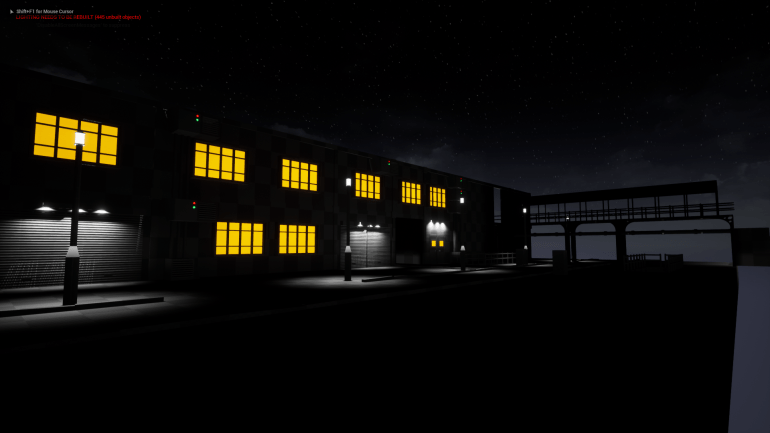
After adding the windows it did a lot for the scene especially since the game will be set at night and adding the street light that were made by Dan, because the game is set at night I didn’t want to overdo the lighting and overuse lighting because it would ruin the mood that we wanted to capture.
During my last project I didn’t focus on Textures all that much because I had so much to build so textures had to take a back seat. I decided since I’m working in a group I could practice using and developing textures to increase my knowledge and familiarity of them.
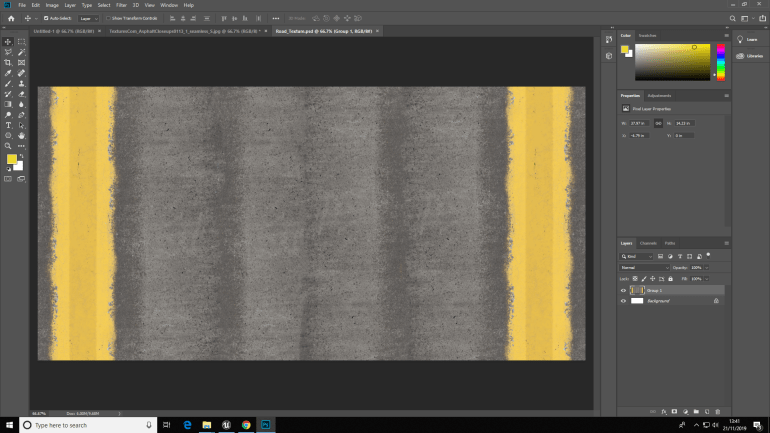
Using an Asphalt texture I collected off of the internet I drew up two yellow lines and moved them around to create two edges to the road and used the spot healing brush several times in the center to remove the obvious join lines that would remove the impression of a natural road.
During this project I decided to use 3DS Max to try and build my strength with it and become better at using it. I wanted to make some simple assets but that would still fit into a world like this and see fit surrounded by all the other assets.
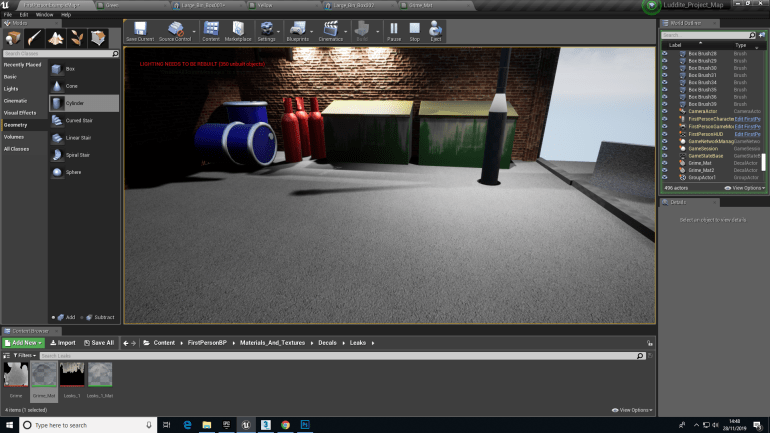
After I made these I made Materials in UE4, because the materials I had in mind for them weren’t to difficult to create an would mostly consist of one color mixed a constant that would turn up the metallic node allowing the material to look shiny and like metal. I also added decals to the bins like grime and leakage to make the player think they would be full and overflowing with rubbish and liquids.
For the subterranean area I wanted to add tiles around the edges close to the floor and since I wanted a few variants to make the tiles look cracked and even missing I made the texture in Photoshop.
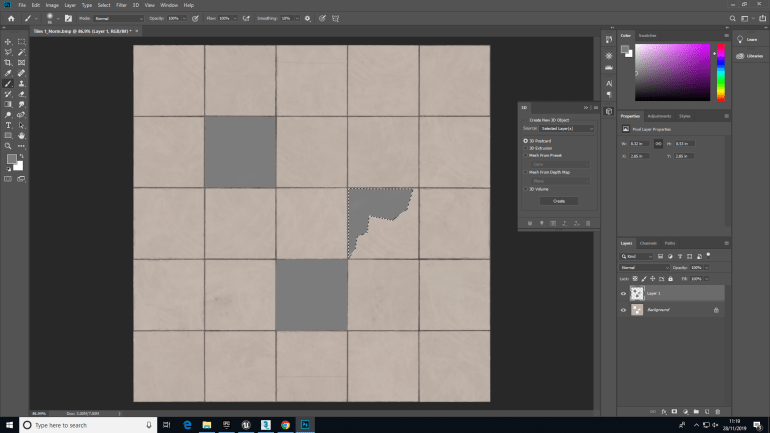
Using the Magic Wand Tool I was able to remove tiles and pieces of them to create a slightly more accurate representation of how an underground area may look since it possibly could’ve fallen into disrepair.
Since the area was very dark I decided to add some lighting that I could place against the walls to help the player see the environment that they were inside.
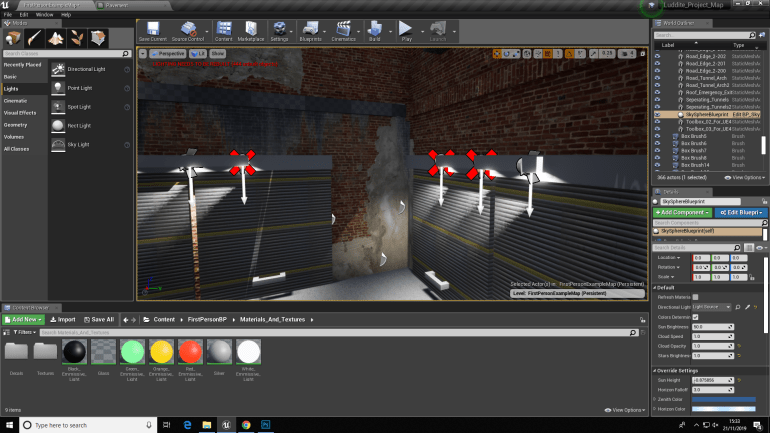
During the placement of these though I was duplicating them often instead of creating a new one each time which would’ve been move time consuming however that caused a problem when I copied them it turned the lights from Movable to Static which caused them to generate light unusually, but I spoke to a few students and found the cause and a solution.
To break up the large areas of brick on the ground floor I decided to create garage doors to use. I used them quite excessively but I don’t believe it ruins the impression of a street.
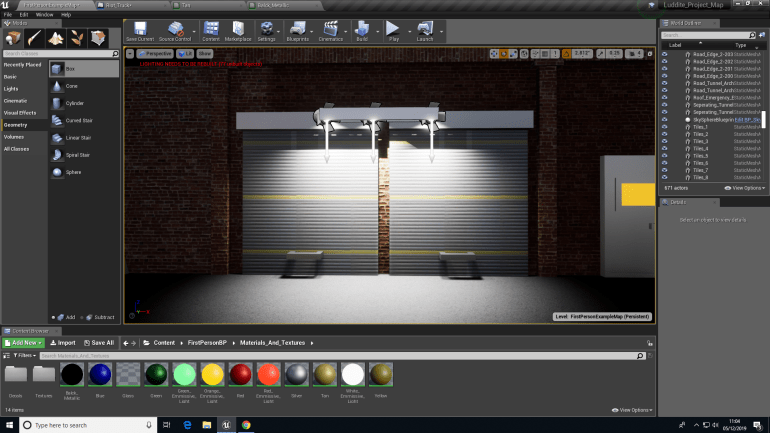
They were really simple to make considering they were just a few pieces of geometry placed together and I made a texture to place over the top with a normal map that gives it depth so certain panels protrude and others depress in.
I wanted to place some vehicles inside of the level to really push the idea that people live here instead of it being just a quiet street.
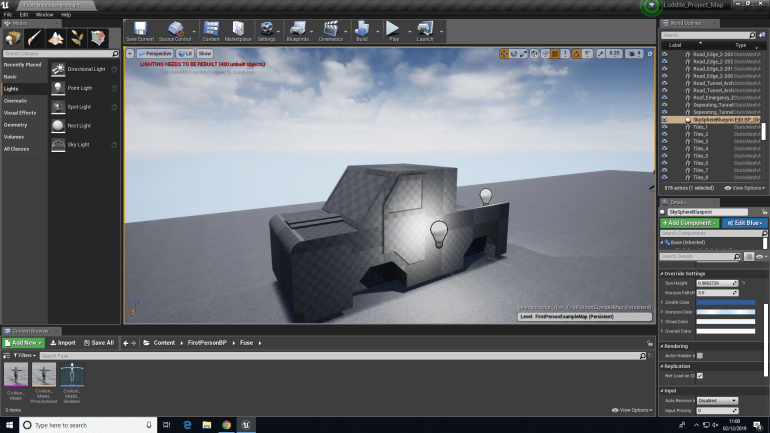
I first wanted to make this in 3DS but quickly found out that it would take way to long because I’m just not familiar enough with the program so I decided to create the model in UE4.
At this point in time me and my group partners decided that we wouldn’t have enough time for all of the different areas combined each telling a different story since we only have about 8 days in college left so we decided to really overhaul this area with textures and assets and really tell a powerful story much more than one we originally had in mind.
We thought to have civilians protesting because they’re jobs are being replaced by machines and they’re obviously unhappy about this. Since we were doing this I decided to create posters and different propaganda like slogans and stuff that I could litter the walls with and really make it seem like this this is a real strong problem.
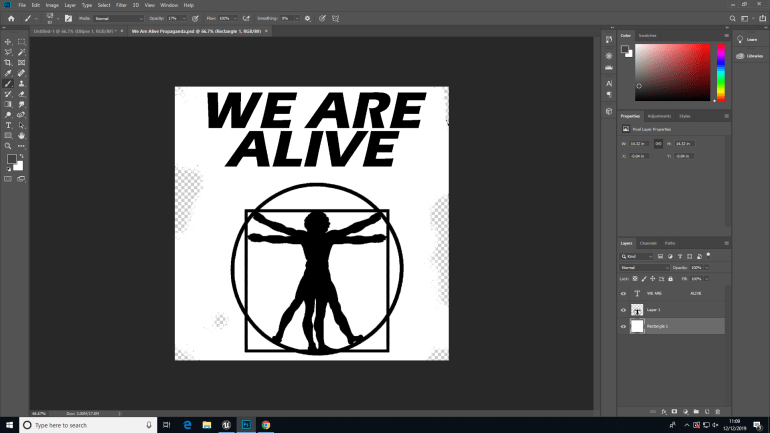
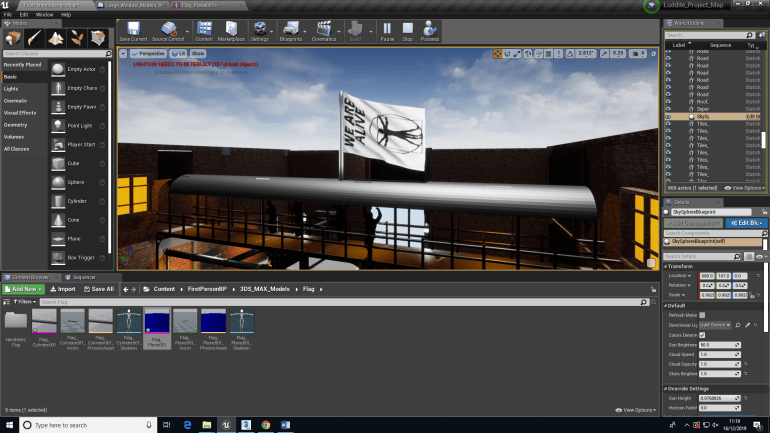
The original poster I created I wanted to show that the humans in my game are being treated in a way with no care which is why the main slogan is ‘WE ARE ALIVE’ suggesting their being treated as sub-human and that they have no basic human rights making the player think they they’re starving and possibly homeless due to their jobs being taken by machines. I’m not exactly sure why I chose ‘The Vitruvian Man’ I just thought it would’ve been a good representation of what humans are.
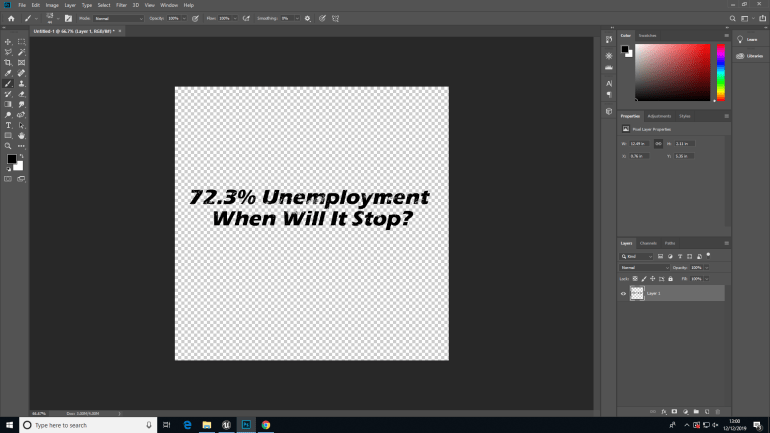
This shows the player just how bad the situation has become and why the humans have decided to go on a march and protest for their jobs back.
I made these in Photoshop using the Text tool writing out what I wanted and then used the brush tool and painted roughly over the top after selecting the area with the magic wand tool and then deleting the text and it becomes a decal that looks like it’s been exposed to the weather and worn away.
I wanted to create a flag for the humans and created it in 3DS MAX, because I could use the Subdivision option to allow it to split the plane into several triangles that I could view in UE4.
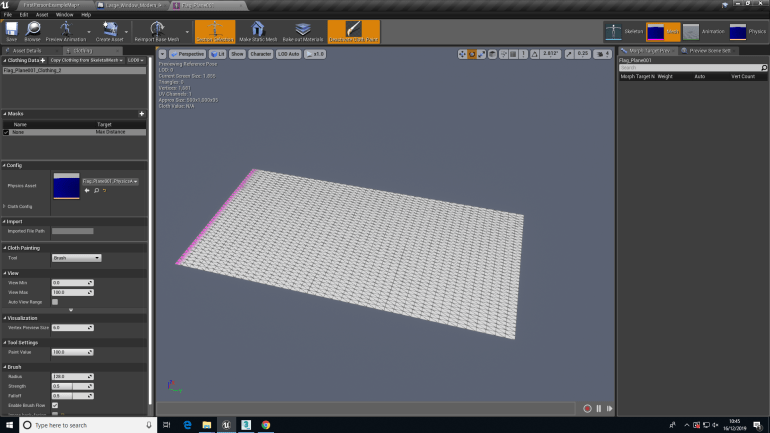
What the subdivision allowed the plane to do was fold and flex at each separate line that would be caused by a wind actor. The wind would cause the flag to bend and crease at each line giving the impression that it was made of cloth and create a realistic flag model.
 Georges_Games